-
play_arrow
The Alternative One Your Modern Rock Music Radio Station!
-
play_arrow
Wild Country Radio Your Hometown Country Music Station...
-
play_arrow
Rock ‘n’ Roll Radio We Play Everything That Rocks Your World!
-
play_arrow
Yacht Rock Radio Nothing but Smooth Breezes Ahead...
-
play_arrow
New Wave Radio 80s Songs You Will Not Hear Anywhere Else!
-
 play_arrow
NextWave Broadcasting Network Advertising NextWave Broadcasting Radio Group Network
 Rational Youth - Heredity
Enjoying your curated playlist from Montreal, Canada!😎
Johnnie Superstock
Rational Youth - Heredity
Enjoying your curated playlist from Montreal, Canada!😎
Johnnie Superstock
 Public Image Ltd. - Disappointed
To New Wave Radio - The greatest!!
Public Image Ltd. - Disappointed
To New Wave Radio - The greatest!!

By NextWave Broadcasting Network · Updated October 11, 2026
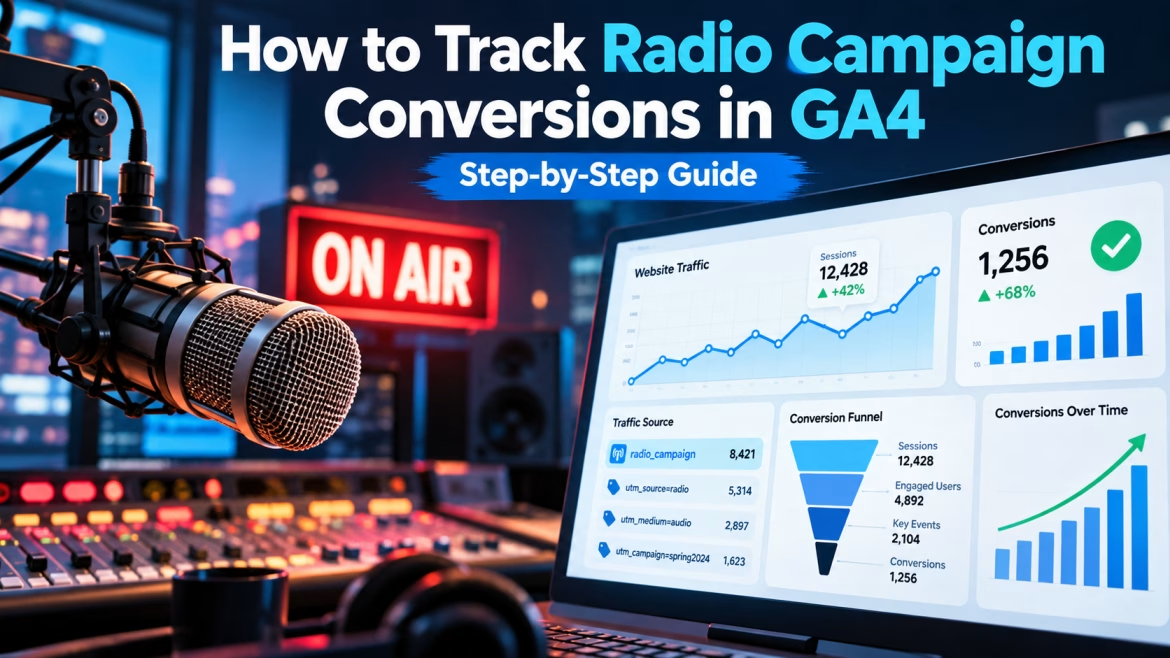
How to Track Radio Campaign Conversions in GA4
To track radio campaign conversions in GA4, mark your leads and sales as key events, send radio listeners to a vanity URL that redirects to a landing page tagged with utm_source, utm_medium=audio and utm_campaign, capture promo codes and “how did you hear about us” answers as event parameters, and measure the lift in direct and branded search traffic during the flight. GA4 automatically groups any traffic with the medium audio into its built-in Audio channel.
Because most listeners respond by searching or typing your address rather than clicking, tagged traffic is only part of the story. This guide covers both the direct tracking and the lift analysis you need for a complete picture.
Key takeaways
- Mark form submissions, calls, bookings and purchases as GA4 key events before launch.
- Use
utm_medium=audio: GA4’s default channel rules map it to the Audio channel. - Make sure your vanity-URL redirect keeps the UTM query string intact.
- Store promo codes and survey answers as event parameters and register them as custom dimensions.
- Compare direct and branded search traffic against a pre-campaign baseline to capture untagged response.
Why Radio Is Hard to Track (and Why It Still Shows Up)
A radio listener hears your ad in the car, at work or through a smart speaker. Later they search your brand, type your URL or ask a voice assistant. None of those actions carries a click ID, so GA4 often files the visit under Direct or Organic Search. Google defines Direct as visits that arrive through a saved link or a typed URL, which is exactly how many radio responses arrive.
The fix is a two-part system: tag every path you can control, and measure lift in the paths you can’t.
Step 1: Define Your Conversions as GA4 Key Events
- Decide which actions count: lead form submissions, quote requests, phone-number clicks, bookings, sign-ups and purchases.
- Make sure each fires an event, either through GA4’s enhanced measurement (for example, form interactions) or through Google Tag Manager (for example, a
generate_leadevent on the thank-you page). - In Admin → Data display → Events, mark the event as a key event. For leads, assign a value if you know your average lead worth.
- For e-commerce, send the
purchaseevent withvalueand thecouponparameter populated, so promo-code sales are reportable.
Test with DebugView before the campaign launches. A key event that doesn’t fire can’t be measured later.
Step 2: Build a Vanity URL with UTM Parameters
Choose a short address listeners can remember after hearing it once or twice, then redirect it to a tagged landing page:
→ 301 redirect to →
yourbrand.com/offer/?utm_source=nextwave&utm_medium=audio&utm_campaign=fall26_promo&utm_content=alternativeone_30s
| Parameter | Suggested value | Why |
|---|---|---|
utm_source | Network or station name (e.g., nextwave) | Shows who delivered the traffic. |
utm_medium | audio | Matches GA4’s Audio channel rule exactly (lowercase). |
utm_campaign | Campaign name and date (e.g., fall26_promo) | Separates flights and offers. |
utm_content | Station, creative or spot length | Compares stations and versions. |
Check the redirect. Redirects that drop the query string are a common reason campaign traffic lands in Direct. Click your vanity URL in a private browser window and confirm the UTMs appear in the final address bar and in GA4 DebugView. In WordPress, a redirect plugin or your server configuration can handle the 301.
Use one vanity URL per offer (or per station when you want to compare them) and keep it consistent across the spot, the station website and any social posts.
A UTM Naming Convention for Multi-Station Campaigns
Consistent names are what make radio reports readable months later. Agree on a convention before the first link is built and keep everything lowercase, because GA4 treats Audio and audio as different values in your own reports.
| Touchpoint | utm_source | utm_medium | utm_campaign | utm_content |
|---|---|---|---|---|
| Spoken vanity URL, Station A | nextwave | audio | fall26_promo | alternativeone_30s |
| Spoken vanity URL, Station B | nextwave | audio | fall26_promo | yachtrock_30s |
| Player companion banner | nextwave | audio | fall26_promo | companion_banner |
| Station website placement | nextwave | audio | fall26_promo | station_site |
| Social retargeting ad | paid_social | fall26_promo | radio_retarget |
Keep the same utm_campaign value across radio and the social or search activity that supports it. That lets you filter one campaign across every channel in a single exploration.
Step 3: Tag Streaming Companion Ads and QR Codes
Streaming radio campaigns can include clickable companion banners in the player, station-site display placements and social posts. Give each one its own tagged link, keeping utm_medium=audio for the audio buy and varying utm_content (for example, companion_banner, station_site) so you can see which touchpoint drove the visit. QR codes on any printed or on-screen companion material should use the same tagged URLs.
Setting Up the Vanity URL Redirect in WordPress
You don’t need a developer to create a vanity URL. Common options:
- A redirect plugin. Free plugins such as Redirection let you add a 301 from
/rockto the full tagged landing-page address from the WordPress dashboard. Yoast SEO Premium also includes a redirect manager. - Server rules. On Apache or a hosting panel such as Plesk, a single redirect rule in the site’s configuration does the same job.
- A dedicated landing page. Instead of redirecting, publish the offer page at the short address itself and tag the page view with GA4 or Tag Manager. This avoids redirect problems entirely but requires a custom event or content grouping to separate radio visitors.
Whichever you choose, test on a phone as well as a desktop, and make sure the destination page loads fast. Radio listeners often visit from mobile right after hearing the ad.
Step 4: Capture Promo Codes, Calls and Survey Answers
- Promo codes. Use a radio-only code. Send it in the
couponparameter of purchase events, or as a custom parameter on lead forms, and register it as a custom dimension in Admin → Custom definitions. - Call tracking. Use a dedicated tracking number in the ad. Many call-tracking providers can send call events into GA4; if yours can’t, import totals or report them alongside GA4 data.
- “How did you hear about us?” Add a dropdown to forms with each station or show listed. Pass the answer as an event parameter (for example,
heard_about) and register it as a custom dimension.
Step 5: Create a Custom Channel Group for Radio
GA4’s default channel group can’t be edited, but you can create a custom channel group (Admin → Data display → Channel groups). Add a “Radio & Streaming Audio” channel that matches medium exactly matches audio or source containing your station names. Place it above the default rules so it catches radio traffic first, then use it in acquisition reports and explorations.
Step 6: Measure Lift in Direct and Branded Search Traffic
Tagged traffic will be the tip of the iceberg. To see the rest:
- Baseline. Export 4–8 weeks of pre-campaign sessions and key events for Direct, Organic Search and Audio.
- Branded search. In Google Search Console, track clicks and impressions for queries containing your brand name, before and during the flight.
- Geography. In GA4, compare traffic and key events by region or city for markets where the campaign ran against similar markets where it didn’t.
- Spot timing. Get the air-time log from the station or the delivery report from the streaming network. In a GA4 Exploration, use the Date + hour dimension to look for response bumps in the hours after spots ran. For minute-level analysis, use the free BigQuery export, which includes event timestamps.
Lift during the flight, minus the baseline, gives you a far more realistic estimate than tagged clicks alone. Use it in your radio ROI calculation.
Build a GA4 Exploration for Your Radio Campaign
A saved exploration turns radio reporting into a two-minute weekly check:
- Go to Explore → Blank and name it after the campaign.
- Set the date range to cover your baseline period and the flight, and turn on Compare to see the two side by side.
- Import dimensions: Session default channel group (or your custom radio channel group), Session campaign, Session manual ad content, Region, City, Date and Date + hour.
- Import metrics: Sessions, Total users, New users, Key events and, for e-commerce, Purchase revenue.
- Create a line chart of sessions by day for Direct, Organic Search and Audio. A step up in the first two during the flight is the radio halo.
- Add a free-form table of key events by Session manual ad content to compare stations and creative versions.
- Add a second tab filtered to the regions where the campaign ran and compare it with regions where it didn’t.
Share the exploration with your team or connect GA4 to Looker Studio if stakeholders prefer a dashboard.
Use Google Search Console to Prove the Radio Halo
Branded search is one of the clearest signs that people heard your ad. Search Console shows it directly:
- Open Performance → Search results and set the date range to compare the flight with an equal pre-campaign period.
- Add a Query filter containing your brand name, plus common misspellings and the offer or vanity word used in the ad.
- Compare clicks and impressions between the two periods, and check the same comparison for the prior year to rule out seasonality.
- Link Search Console to GA4 (Admin → Product links) so you can see branded landing pages next to your key events.
A rise in branded impressions during the flight, especially in campaign markets, is strong evidence of radio’s effect even when the visits themselves show up as Organic Search.
Step 7: Read the Attribution Reports Correctly
GA4 reports key events using the property’s attribution model, which defaults to data-driven attribution. For audio campaigns:
- Check Advertising → Attribution paths to see whether Audio appears earlier in conversion paths that close through search or direct.
- Compare First user default channel group with Session default channel group to see how often audio introduced a visitor who converted later.
- Remember that consent banners, ad blockers and cross-device journeys reduce tracked numbers for every channel.
Common GA4 Radio Tracking Mistakes
- Mixed-case or inconsistent UTMs (
Audio,radio,Radio-ad) that split one campaign into several rows or fall into Unassigned. - Redirects that drop the query string, sending tagged visits into Direct.
- Vanity URLs that are hard to say or spell, so listeners guess and land on a 404 page. Register likely misspellings too.
- No baseline exported before launch, which makes lift impossible to calculate later.
- Key events added mid-flight, so the first weeks of results are missing.
- Judging the campaign only on Audio-channel conversions. Tagged sessions are a fraction of radio’s effect.
- Ignoring the phone. For service businesses, calls may be the majority of radio response.
GA4 Radio Tracking Checklist
- Key events defined, firing and tested in DebugView
- Vanity URL live, 301 redirect preserves UTMs
utm_medium=audioused consistently, all lowercase- Companion banners, station-site placements and QR codes individually tagged
- Promo code and “how did you hear” captured as custom dimensions
- Call-tracking number in place
- Custom “Radio & Streaming Audio” channel group created
- Baseline exported; Search Console branded queries tracked
- Air-time log or delivery report requested from the station
Privacy, Consent and Data Gaps
Cookie-consent banners, browser privacy features and ad blockers all reduce what GA4 can record. That affects every channel, not just radio, but it means tagged numbers are a floor rather than a ceiling. Enable Google’s consent mode if you use a consent banner so GA4 can model some of the missing activity, and rely on lift against a baseline, call logs and promo-code redemptions to fill the rest of the picture.
Never put personal information such as names, email addresses or phone numbers into UTM parameters or event parameters.
Ready to put radio to work for your business?
NextWave Broadcasting Network reaches music fans across five digital stations, with a published network reach of 3.5 million monthly unique listeners across 302 U.S. markets (reported May 1, 2026). Tell us your goal and budget and we’ll build a schedule with the reach, frequency and tracking to prove results. Email [email protected].
Frequently Asked Questions
What utm_medium should I use for radio ads in GA4?
Use utm_medium=audio in lowercase. GA4’s default channel rules place any traffic whose medium exactly matches audio into the Audio channel.
Why does my radio traffic show up as Direct in GA4?
Listeners who type your URL or use a bookmark arrive without campaign data, and redirects that strip the query string also drop UTMs. Use a tagged vanity URL, test the redirect, and measure Direct traffic lift against a baseline.
Can GA4 track phone calls from radio ads?
Not on its own. Use a dedicated call-tracking number; many call-tracking providers can send call events into GA4, or you can report call totals alongside GA4 data.
How do I see radio's impact if listeners don't click?
Measure lift in Direct sessions, branded search queries and key events during the flight compared with a pre-campaign baseline, and compare markets with and without the campaign.
Can I see what time of day radio drove traffic?
Yes. In a GA4 Exploration, use the Date + hour dimension and line it up with the station’s air-time log. The BigQuery export provides exact timestamps for finer analysis.
Should each radio station get its own vanity URL?
Use separate vanity URLs or utm_content values when you want to compare stations or creatives. Keep each URL short and easy to say.
Do I need Google Tag Manager to track radio in GA4?
Not strictly. UTM-tagged vanity URLs work with the standard GA4 tag. Tag Manager makes it easier to fire lead events, capture form answers and add call-tracking events without editing site code.
How long should I keep the radio vanity URL live?
Keep it live and redirecting for months after the campaign ends. Listeners remember URLs long after the last spot, and a dead link wastes that late response.
2026 Copyright NextWave Broadcasting - Social ToothPaste Media Agency